
The Studio Is No Longer the Only Place to Get a Professional Portrait
Create Studio-Quality, Photorealistic Pictures With AI Without Repeatedly Paying for a Photo Studio.
Learn how to transform everyday photos into polished, professional-looking studio portraits, corporate headshots, and full-body looks using AI, without booking a studio, hiring a photographer, or renting outfits every time you need a new picture.
Secure checkout powered by Selar (Supports Bank Transfer, Cards, USSD, Mobile Money & International USD/GBP Payments).
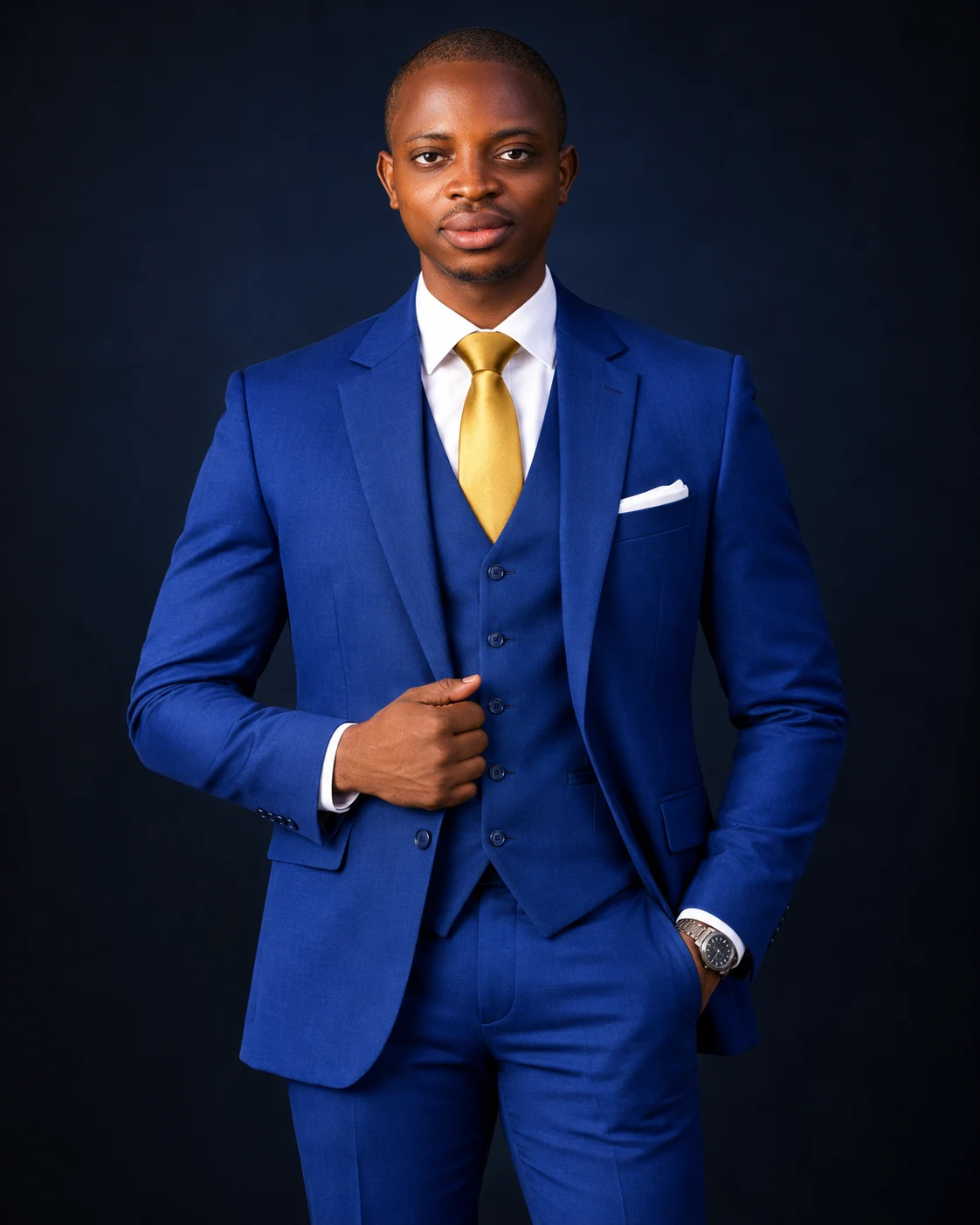
Created with AI by Onyishi Christian Afamefuna using the exact workflow taught inside the Ultimate AI Studio Course.
Think About Your Next Professional Picture
What if your next executive portrait, flyer picture, or LinkedIn headshot started with a clear photo already on your phone?
You Need Professional Pictures Regularly. Booking a Studio Every Time Adds Up Fast.
Whether you are building a business, posting content, speaking at events, or updating your professional profiles, strong visuals shape how people perceive your credibility. Yet getting new studio pictures the traditional way involves constant friction:
Recurring Studio & Session Costs
Paying for studio time, per-image retouching fees, and wardrobe changes every time you need 3 or 4 fresh pictures quickly drains your budget.
Travel & Scheduling Delays
When you need a clean portrait for an urgent flyer, announcement, or profile update today, waiting days to book a studio and receive edited files slows you down.
Limited Outfits & Settings Per Shoot
A standard studio session usually locks you into one or two outfits and backdrops. When you want a new colour palette or formal look, you have to book all over again.
Generic AI Apps Look Artificial
Trying random one-click filters or unguided prompts often distorts your face or produces plastic-looking skin because most people are never taught proper reference and lighting control.
The Traditional Studio Cycle vs. The AI Studio Creation Method
AI does not replace physical event photographers for weddings or live coverage. Instead, it gives you a fast, convenient way to produce polished studio portraits whenever you need a new look.
Repeatedly Booking Physical Studio Sessions
-
1
Book a Photography Studio & Date Coordinate schedules and pay upfront booking deposits.
-
2
Buy or Prepare Multiple Outfits & Styling Arrange formal suits, blazers, grooming, or makeup before leaving home.
-
3
Commute Through Traffic to the Studio Spend hours travelling to and from the location for a short shoot window.
-
4
Take Limited Looks & Wait for Retouching Receive a fixed number of edited photos days later, and repeat the entire process next time.
Creating Studio Portraits With the Course Method
-
1
Take or Select a Suitable Photo on Your Phone Use a clear, well-lit phone photo following our 2-minute reference preparation guide.
-
2
Apply the Studio Lighting & Wardrobe Techniques Direct corporate suits, blazers, waistcoats, and studio backdrops with precision.
-
3
Explore Multiple Studio Looks From Wherever You Are Switch from a dark navy executive studio to a bright white or warm cream backdrop in minutes.
-
4
Use the Skill Repeatably for Yourself or Paying Clients Generate fresh portraits whenever you need them, or offer AI studio creation as a service.
See Full-Size Studio Portraits Created With This Exact Method.
Every portrait below is shown at its full natural proportion with zero text covering the picture—demonstrating the exact studio lighting, wardrobe realism, and 100% facial identity fidelity taught inside the Ultimate AI Studio Picture Creation Course.
One Instructor. Multiple Wardrobes, Backdrops, and Camera Framings.
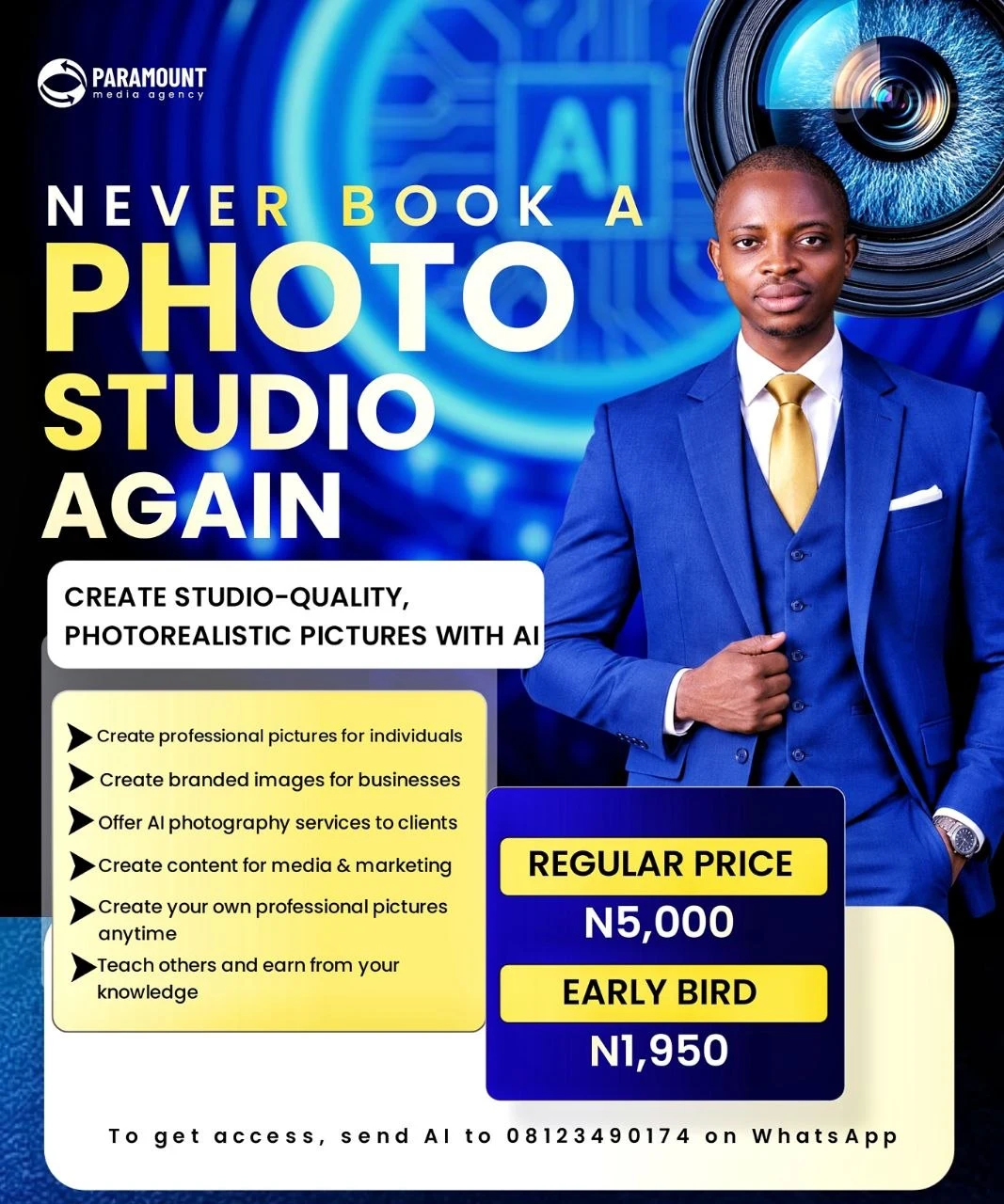
Notice how instructor Onyishi Christian Afamefuna created both a dark-studio corporate portrait in a royal blue three-piece suit and a full-length beige waistcoat editorial portrait on a bright cream studio floor—preserving his exact facial likeness in both scenes without stepping into a physical studio.
Royal Blue 3-Piece Suit + Deep Charcoal Backdrop
Crisp studio rim lighting, tailored pinstripe suit texture, and natural skin detail.
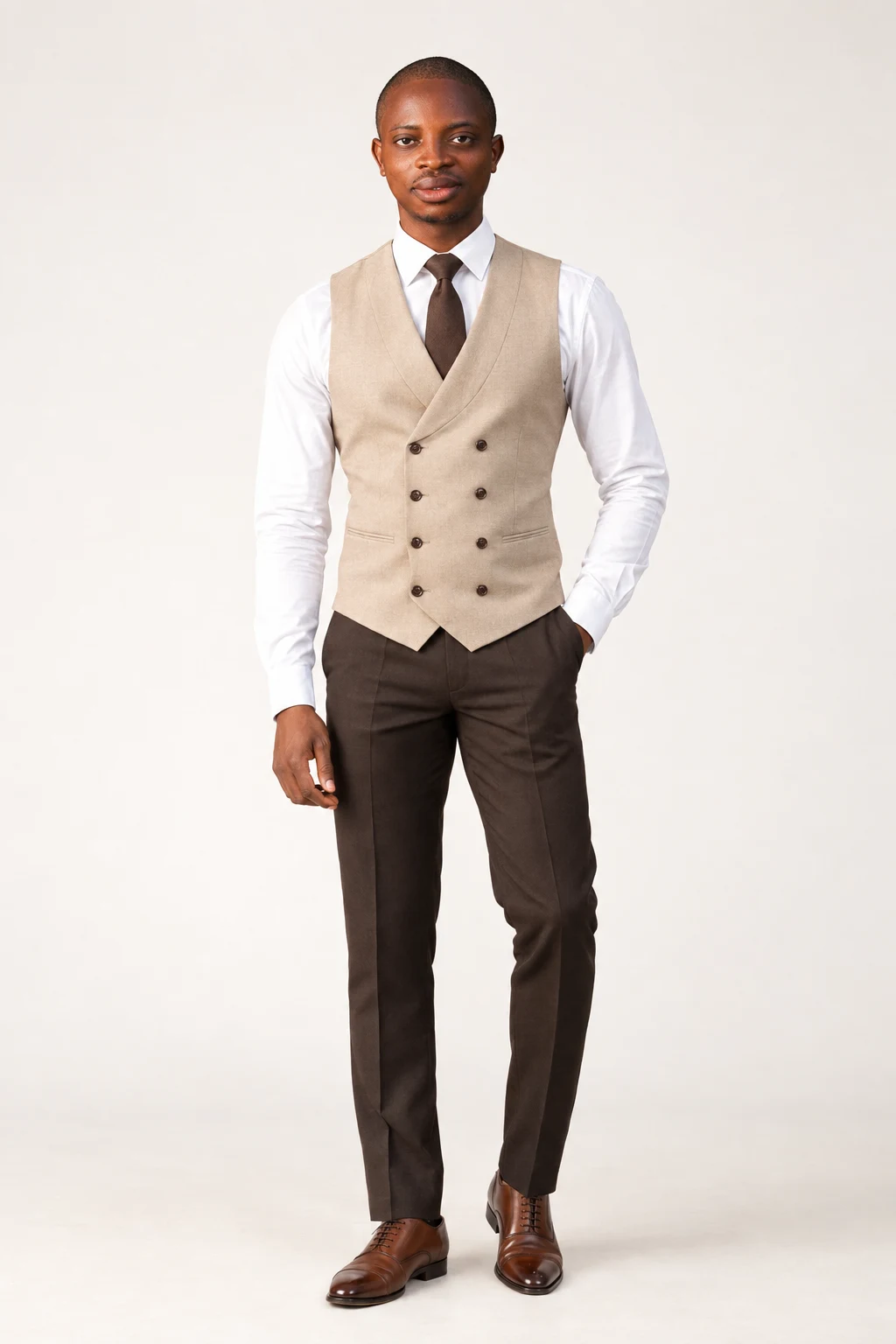
Beige Double-Breasted Waistcoat + Cream Studio
Full-length head-to-toe framing with tailored trousers, wristwatch, and polished Oxford shoes.
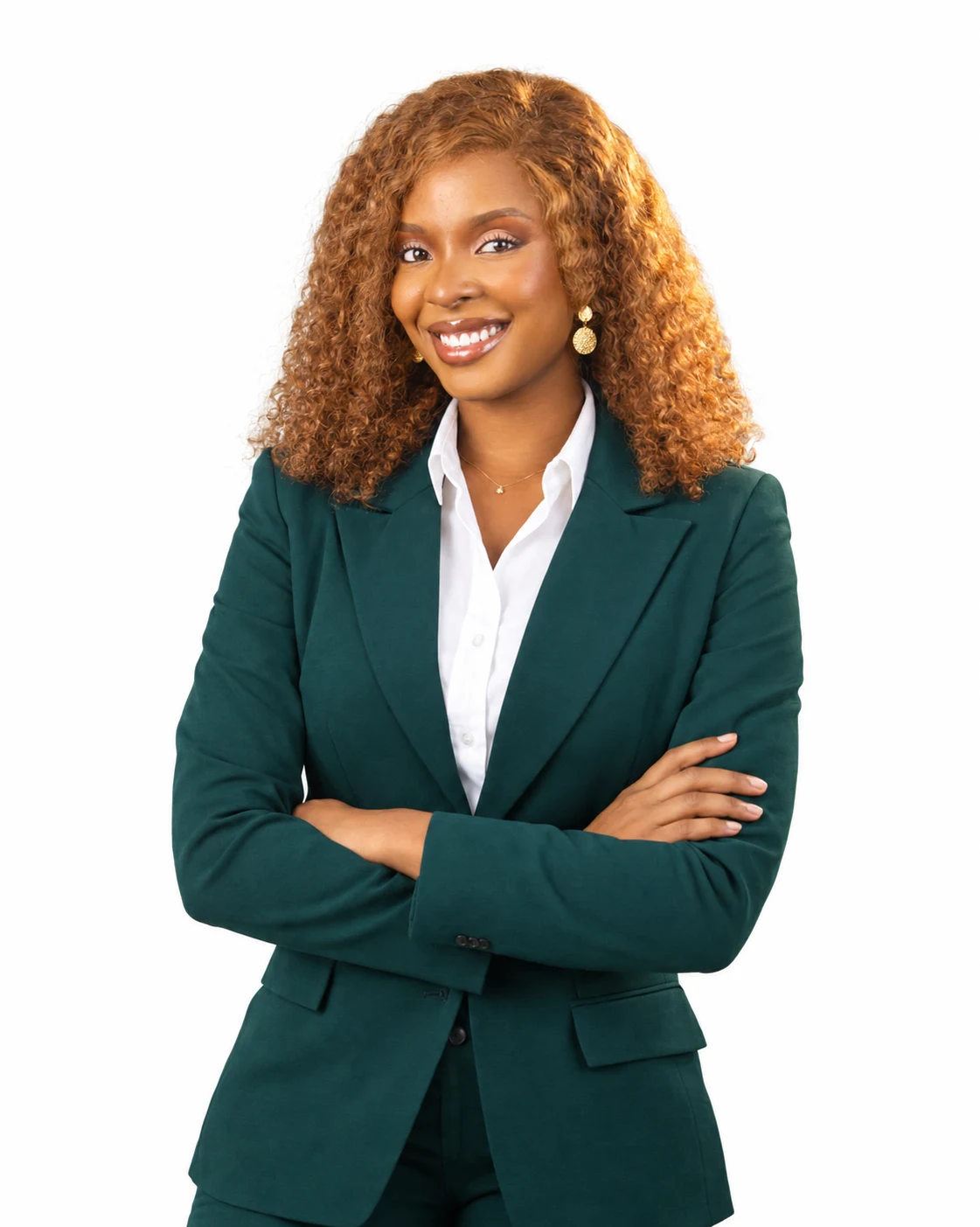
Emerald Blazer Executive Studio Portrait
Clean commercial studio lighting on a pure white background with natural skin tones and sharp wardrobe tailoring.
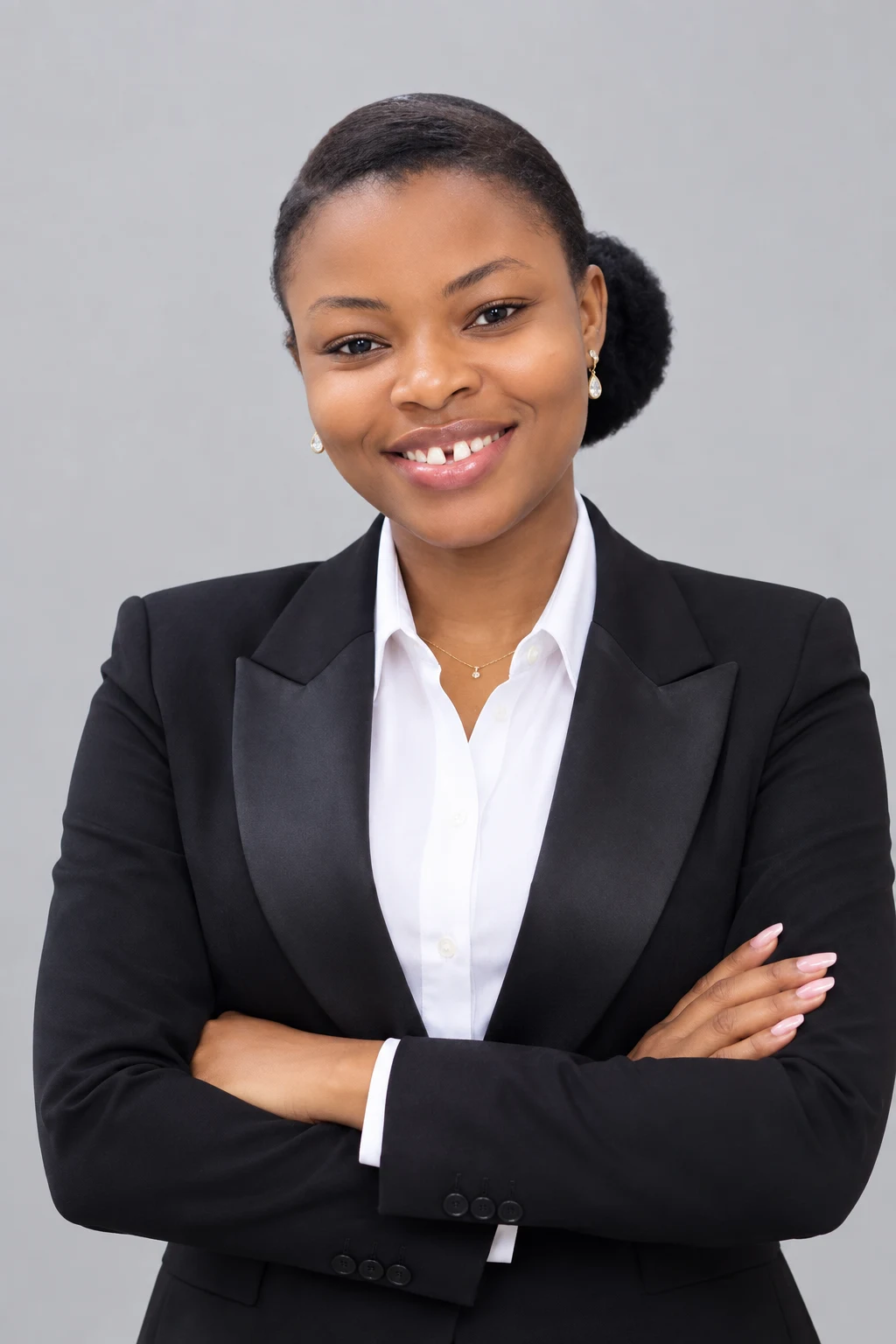
Classic Black Blazer Corporate Headshot
Balanced softbox lighting and neutral studio backdrop tailored for LinkedIn profiles, executive bios, and speaker banners.
Imagine Having a Ready Collection of Polished Portraits Whenever You Need One.
Once you know how to direct studio lighting, outfits, and backdrops with AI, you can create tailored visuals for your personal brand and business communication, or offer the service to paying clients:
LinkedIn, CV & Corporate Profiles
Present yourself with clean, tailored business headshots that command immediate respect from recruiters, partners, and prospective clients.
Instagram, Facebook & WhatsApp DP
Keep your social media feeds and WhatsApp Business profile fresh with high-contrast studio portraits without repeating expensive shoots.
Flyers, Webinars & Product Covers
Place your AI studio portraits directly onto event flyers, e-book covers, and promotional banners whenever you launch something new.
Offer AI Photography Services to Clients
Package this skill as a paid service for busy professionals, business owners, and celebrants who want studio-quality portraits delivered remotely.
Branded Images for Businesses
Help small businesses and remote teams maintain a cohesive, professional visual style across their website About pages and pitch decks.
Teach Others & Monetise Your Skill
Once you master the workflow, you have a practical, high-demand digital skill you can use for yourself and monetise immediately.
Introducing Ultimate AI Studio Picture Creation Course
This is not a random document of copy-pasted prompts. It is a structured, practical training system created by Onyishi Christian Afamefuna that walks you through the complete process of generating realistic studio portraits of yourself and clients, plus how to turn the skill into a paid service.
Full Video & Practical Course Materials
Early-Bird Access: ₦1,950 (Regular ₦5,000)
Preparing & Selecting the Right Source Photos
Learn how to take or choose a clear reference photo on your phone so your AI-generated portraits preserve your natural facial features and proportions.
- What makes a phone photo suitable as an AI studio reference
- Simple natural-light angles you can capture at home in 2 minutes
- Common reference photo mistakes that distort facial likeness and how to avoid them
Core AI Studio Generation Workflow & Tool Setup
Set up the exact AI image generation environment and workflow so you can produce consistent results without needing a technical background.
- Step-by-step account setup and interface walkthrough on mobile and desktop
- Understanding how reference guidance, style strength, and aspect ratios work together
- Configuring your workspace for repeatable portrait creation
Studio Lighting, Camera Framing & Atmosphere Control
Learn how to describe studio lighting, lens depth, positioning, and atmosphere so your generated images look intentional and studio-lit rather than artificial.
- Structuring prompts for softbox lighting, rim lights, and editorial shadows
- Controlling camera framing: close-up headshots, mid-shots, and full-length portraits
- Designing clean studio backdrops, corporate offices, and luxury indoor settings
Wardrobe, Styling & Multi-Look Direction
Create multiple professional outfits, corporate suits, native attire, and smart-casual looks without buying new clothes or booking multiple studio sessions.
- Directing realistic fabric textures, colors, and professional wardrobe combinations
- Adapting your portrait style for LinkedIn, Instagram, flyers, and business announcements
- Maintaining visual consistency across a full personal branding series
Refinement, Quality Enhancement & Avoiding AI Flaws
Refine details, fix common AI image artifacts, and export crisp, high-resolution portraits ready for social media and digital marketing.
- How to spot and correct unnatural skin textures, hands, or background distractions
- Upscaling and exporting sharp images for profile pictures, banners, and promotional posts
- Ethical and practical checklist for selecting your strongest final portraits
Packaging AI Studio Picture Creation as a Paid Client Service
Learn how to turn your ability to generate studio-quality pictures into a low-cost, high-demand service for individuals, executives, and businesses.
- How to structure your AI photography packages and charge clients profitably
- How to find and attract paying customers who want studio pictures without visiting a studio
- How to teach others and earn from your knowledge
Ideal for Anyone Who Regularly Needs High-Quality Visuals or Wants a Monetisable Digital Skill
Get clean corporate visuals for your brand, proposals, and social pages without repeated studio bills.
Maintain a consistent pipeline of sharp thumbnails, post graphics, and profile visuals.
Add AI studio portrait creation as a fast-turnaround paid service for clients.
Create polished portraits for conference flyers, LinkedIn banners, and corporate announcements.
You Do NOT Need Prior Design or Photography Experience
The training is structured step by step from the ground up. To follow the process and create your own studio portraits, you do not need:
- ✓ No professional camera or lighting gear required
- ✓ No prior graphic design or Photoshop experience needed
- ✓ No coding or technical AI engineering background required
- ✓ Works on your smartphone or laptop
Common Questions Before You Enroll
"I have never used AI image tools before."
That is completely fine. The course walks you through the exact tools and steps from scratch so you can follow along at your own pace.
"Can I do this with my smartphone?"
Yes. You can capture your reference photo and complete the entire AI studio creation process using your smartphone or computer.
"Will the portraits actually look like me?"
Yes, when you prepare the reference photo properly. Notice how the instructor's portraits in the blue suit and the full-body beige waistcoat preserve his exact facial likeness.
"Do I need to rent outfits or backdrops?"
No. You will learn how to direct tailored suits, blazers, native attire, and clean studio environments directly through the workflow.
"Can I really charge clients for this?"
Yes. Busy professionals and business owners happily pay for clean headshots and branded pictures when they see high-quality samples like the ones on this page.
"How quickly do I get access after payment?"
Access is delivered immediately upon checkout on Selar, or you can message our direct WhatsApp line (08123490174) for instant onboarding assistance.
Everything You Receive Today for ₦1,950
Start creating studio-quality pictures for yourself and clients for less than the cost of transport to a single studio photoshoot.
Core Training & Implementation Materials Included:
Complete Step-by-Step Video Training Curriculum
Core Video ModulesPractical screen-recorded walkthroughs showing the exact workflow from ordinary phone reference photo to finished AI studio portrait.
The Studio Lighting & Wardrobe Prompt Framework
Practical FrameworkStructured prompt formulas for directing studio lighting, camera lenses, corporate outfits, casual styling, and clean backgrounds.
Reference Photo Preparation Checklist
Implementation GuideQuick-reference guide showing the exact angles and lighting conditions that produce the most accurate facial likeness.
Quality Control & Refinement Workflow
Quality SystemHow to review, refine, and export crisp high-resolution portraits while avoiding common AI generation mistakes.
Plus Included Monetisation & Support Modules:
Client Monetisation & Service Packaging Module
Learn how to package AI studio picture creation as a paid service for individuals and businesses, price your work, and attract paying clients.
Direct WhatsApp Support & Onboarding Access
Direct access to reach out via WhatsApp (08123490174) if you need help accessing your course materials after checkout.
- Instant Access immediately after payment
- Full step-by-step video & practical course materials
- Client service packaging & monetisation blueprint
- Learn once, use forever on phone or laptop
Everything You Need to Know Before Enrolling
What exactly will I learn inside the Ultimate AI Studio Picture Creation Course? +
You will learn a complete, practical workflow for transforming clear everyday photos into professional-looking studio portraits using AI. This includes preparing your reference photo, setting up the AI tools, directing studio lighting and outfits, and refining the final images for your personal brand, social media, or business profile.
Is this course suitable for complete beginners who have never used AI image tools? +
Yes. The course is built specifically for non-technical learners. You do not need any background in photography, graphic design, or software engineering. Every step is demonstrated clearly from start to finish.
Can I use my smartphone, or do I need an expensive computer? +
You can follow the workflow and create images using either a smartphone or a laptop/desktop computer with an internet connection.
Do I still need to visit a physical photography studio? +
No studio visit is required to use this workflow. While traditional photography remains valuable for physical events, weddings, or specialized commercial shoots, this course gives you a convenient way to create fresh, professional-looking studio portraits from wherever you are whenever you need them.
Is this just a PDF list of random prompts? +
No. Copy-pasting generic prompts without understanding reference photo preparation, likeness control, and lighting direction rarely produces usable portraits. This course teaches the complete end-to-end creation process so you can intentionally direct different outfits, poses, and studio settings.
Can I create different outfits, poses, and studio backgrounds? +
Yes. You will learn how to guide the AI to generate corporate suits, business-casual looks, creative studio backdrops, and clean headshot environments while keeping your portrait polished.
Where can I use the pictures I create? +
Learners use their AI studio portraits for LinkedIn profiles, WhatsApp Business profiles, Instagram and Facebook content, speaker flyers, webinar graphics, digital product covers, and personal brand announcements.
How do I receive access after purchasing? +
Immediately after completing your checkout on Selar (or via the secure checkout button on this page), you receive direct access instructions to begin the training right away.
Your Next Professional Picture Doesn't Have to Start in a Studio.
Learn the skill once and use it whenever you need fresh corporate headshots, personal brand portraits, or client studio pictures, at the Early-Bird rate of ₦1,950 (Regular ₦5,000).